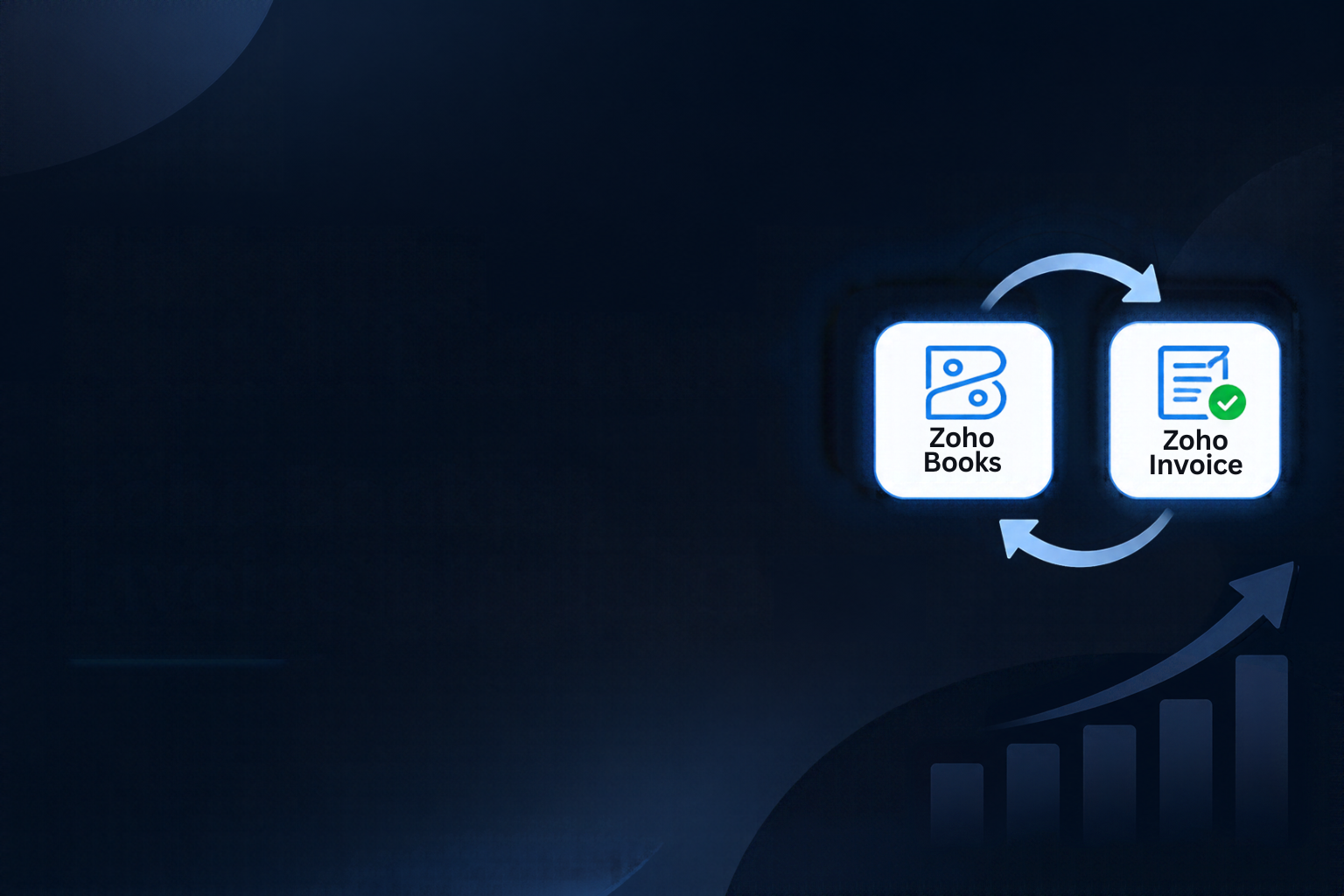
Zoho Books Integration helps businesses automate financial workflows, simplify invoice management, and maintain accurate accounting records. Managing invoices, tracking payments, and maintaining financial records can become overwhelming for growing businesses. If your team still relies on manual data entry, spreadsheets, and repetitive invoice processing, you’re increasing the chances of costly errors and unnecessary delays. These tasks consume valuable time that could otherwise be spent improving customer relationships, managing cash flow, and growing your business.
Integrating Zoho Books with Zoho Invoice helps businesses simplify their financial operations through accounting automation. Instead of managing invoicing and accounting activities separately, businesses can create a more connected workflow that improves efficiency, reduces repetitive work, and supports better financial control.
For small and medium-sized businesses (SMBs), Zoho Books and Invoice integration offers a practical way to streamline financial management without adding unnecessary complexity. Moreover, by automating routine processes, businesses can maintain organized records, improve financial accuracy, and significantly reduce the time spent on administrative tasks. As a result, teams can focus more on managing cash flow, improving productivity, and supporting business growth.
Step-by-Step Setup of Zoho Books Integration to Automate Your Workflow
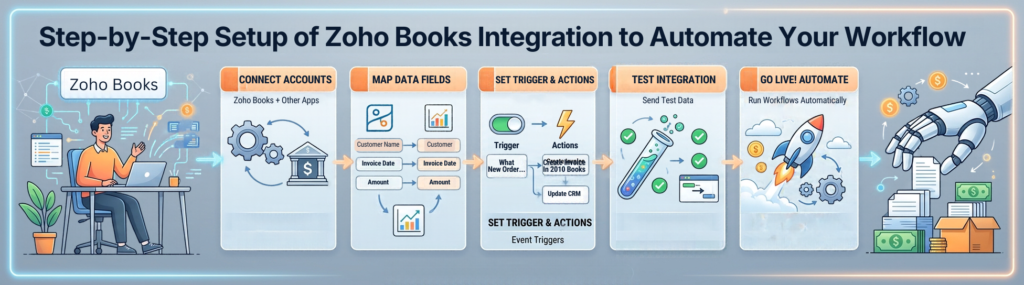
Setting up your financial workflow doesn’t have to be complicated. With the right Zoho Books integration configuration and invoicing processes, you can establish a more efficient accounting system. Follow these steps to get started:
- Create Your Zoho Books Account: Start by signing up for Zoho Books and entering your business information. Add essential details such as your company name, address, tax registration information, and financial preferences. These details help configure your accounting environment according to your business requirements.
- Set Up Zoho Invoice: Configure your Zoho Invoice account to create, customize, and manage customer invoices. Add your company logo, payment terms, tax information, and preferred invoice templates. A consistent invoice format gives customers a professional experience and makes financial documents easier to recognize.
- Connect Zoho Books and Zoho Invoice: Review the available integration and synchronization options within your Zoho environment. Configure the connection using the supported account settings and authorization process. Make sure the relevant customer, invoice, and payment information is mapped correctly to maintain consistent financial records.
- Configure Automation Rules: Identify repetitive activities that can benefit from financial workflow automation. These may include invoice notifications, payment reminders, recurring invoices, and approval processes. Establish triggers based on specific business events to reduce manual intervention.
- Test Your Workflow: Before using your Zoho accounting integration for everyday financial operations, create a sample invoice and test the complete process. Verify that the relevant information is recorded correctly, notifications work as expected, and financial records remain consistent.
Once your Zoho Books Integration workflow is configured, your team can spend less time entering information manually and more time focusing on essential business activities.
How Zoho Books Integration Improves Accuracy and Financial Controls in SMBs
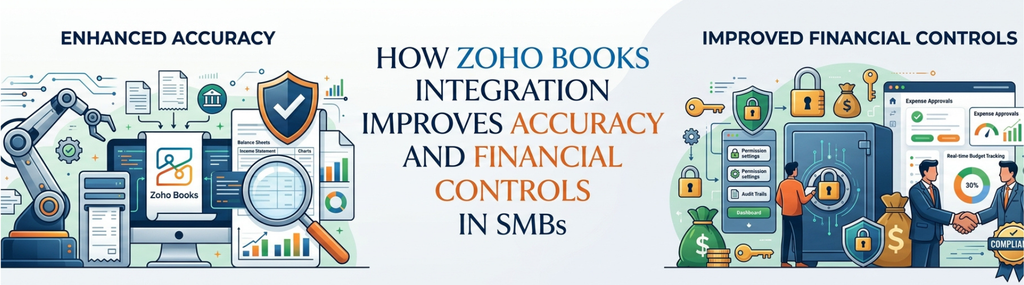
Financial accuracy is essential for every business, regardless of its size. Even a small bookkeeping mistake, such as entering an incorrect invoice amount or overlooking a payment, can create problems during reconciliation and financial reporting.
Reduce Manual Data Entry and Accounting Errors
Manual financial processes make it easier for these errors to occur, particularly when multiple employees handle invoices, payments, and customer records. Zoho Books Integration helps reduce repetitive data entry and maintain more consistent financial records through connected accounting processes.
For example, when an invoice is created, the related financial information can be synchronized through the configured workflow. This reduces the need to enter the same information repeatedly and minimizes discrepancies between records. By streamlining invoice management and accounting activities, businesses can maintain better control over their financial information.
Strengthen Financial Controls and Approvals
Accounting automation also supports stronger financial controls. Businesses can establish approval processes to ensure that invoices and important financial transactions receive the necessary review before moving forward. Notifications can help teams identify overdue payments, unusual transactions, and outstanding approvals.
These capabilities are particularly useful for SMBs that want to maintain better financial oversight without increasing administrative workloads. Combining Zoho Invoice integration with organized accounting procedures also helps businesses maintain a more consistent approach to financial management.
Improve Payment Tracking and Financial Visibility
Consider a business processing hundreds of invoices every month. In such situations, tracking every payment manually can quickly become difficult. However, automated reminders and payment tracking help finance teams stay informed about outstanding balances and follow up with customers at the right time. As a result, businesses can improve payment management and avoid unnecessary delays.
Ultimately, this leads to better financial visibility, fewer avoidable errors, and a more organized accounting process.
Best Practices to Customize Zoho Books Integration Workflows and Notifications
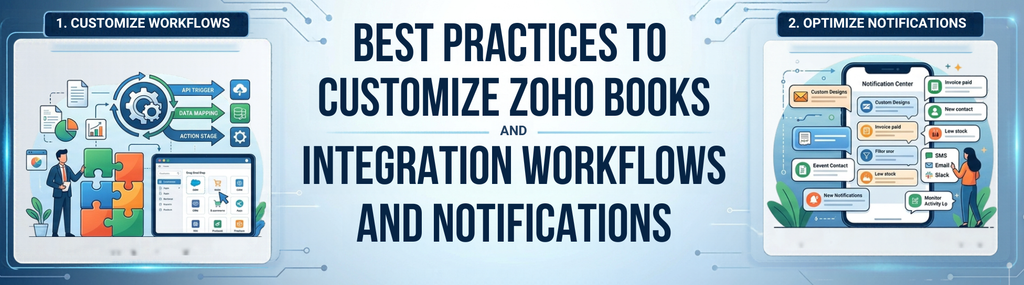
Every business has different invoicing requirements, customer payment terms, and internal approval procedures. Instead of relying entirely on default configurations, customize your Zoho Books Integration workflows to match your financial operations.
Here are some practical ways to make your accounting automation more effective:
Segment Your Clients and Invoice Types
Organize customers according to payment terms, service categories, or business relationships. Different customer groups may require different invoicing schedules and approval procedures. Customizing workflows around these requirements helps prevent unnecessary delays.
Set Up Milestone-Based Notifications
Configure reminders for important invoice events, such as invoice creation, successful delivery, approaching due dates, and overdue payments. For example, sending a reminder three days before an invoice becomes due gives customers time to prepare their payments. Automated notifications also reduce the need for manual follow-ups.
Use Conditional Automation
Not every financial transaction requires the same level of approval. Set conditions that trigger additional reviews for invoices exceeding a specific amount or transactions requiring management authorization. This helps maintain financial oversight without slowing down routine accounting activities.
Connect Payment Gateways
Explore supported payment gateway integrations to simplify payment collection and reconciliation. Connecting payment services such as Stripe or PayPal, where available for your business and region, can make it easier to track incoming payments and maintain updated financial records.
Review and Optimize Automation Rules
As organizations grow, business requirements naturally change. Therefore, regularly review your automation rules to identify unnecessary steps, outdated conditions, or opportunities to improve efficiency. By doing so, you can ensure your financial automation processes continue to support your evolving business goals.
Monitor Financial Performance
Use available accounting reports and financial dashboards to monitor outstanding invoices, payment activity, expenses, and cash flow. Regular monitoring helps identify potential issues before they affect business operations and makes financial planning more effective.
By implementing these practices, businesses can make their Zoho accounting workflows more efficient, improve invoice management, and establish financial processes that align with their operational goals.
Frequently Asked Questions
Can I Automate Reminders for Overdue Invoices with Zoho Books and Zoho Invoice?
Yes. Zoho provides invoice reminder functionality that helps businesses notify customers about upcoming and overdue payments. You can configure reminder schedules and email notifications according to your requirements. This reduces the need for manual follow-ups and helps maintain a more consistent payment collection process.
Will Zoho Books Integration Reduce My Accounting Workload Significantly?
Yes. Zoho Books Integration can reduce administrative workloads by streamlining repetitive activities such as invoice processing, payment tracking, and customer notifications. Your finance team will spend less time on manual data entry and correcting errors, allowing them to focus more on financial analysis, planning, and business growth.
Is Zoho Books Suitable for Small and Medium-Sized Businesses?
Yes. Zoho Books offers accounting capabilities that help SMBs manage invoices, expenses, payments, and financial records. Its automation features can support growing businesses as their financial processes become more complex. With the right accounting workflow configuration, businesses can improve financial organization without adding unnecessary administrative work.
Can I Customize Invoice Notifications and Payment Reminders?
Yes. Zoho Books and Zoho Invoice offer notification and reminder options that businesses can configure according to their requirements. You can establish appropriate reminder schedules and communication preferences to improve customer follow-ups and simplify invoice management.
Quick Summary: Key Takeaways on Zoho Books Integration
Automating financial workflows can make a significant difference in how businesses manage their daily accounting activities. Here are the key points to remember:
- Connect your invoicing and accounting processes to maintain more consistent financial records.
- Use Zoho Books Integration to streamline accounting activities and reduce repetitive data entry.
- Establish approval procedures and notifications to strengthen financial controls.
- Customize workflows according to customer segments, invoice types, and payment requirements.
- Use automated notifications to improve payment follow-ups and reduce overdue invoices.
- Monitor financial performance regularly to maintain better cash flow visibility.
Conclusion
Managing financial operations doesn’t have to involve endless spreadsheets, repetitive data entry, and manual invoice tracking. With the right Zoho Books Integration configuration and Zoho Invoice workflows, businesses can simplify invoicing, improve accounting accuracy, and establish more efficient financial processes.
From automated reminders and payment tracking to customized approval procedures, accounting automation helps SMBs reduce administrative work while maintaining better control over their finances.
At Zenith Innovations, we help businesses make better use of Zoho solutions through effective implementation, integration, and workflow customization. Whether you’re looking to streamline invoicing or improve your overall accounting processes, the right automation strategy can help your business work smarter and grow with confidence.