
Why AI Sales Assistants Need Seamless Zoho CRM Integration to Actually Work
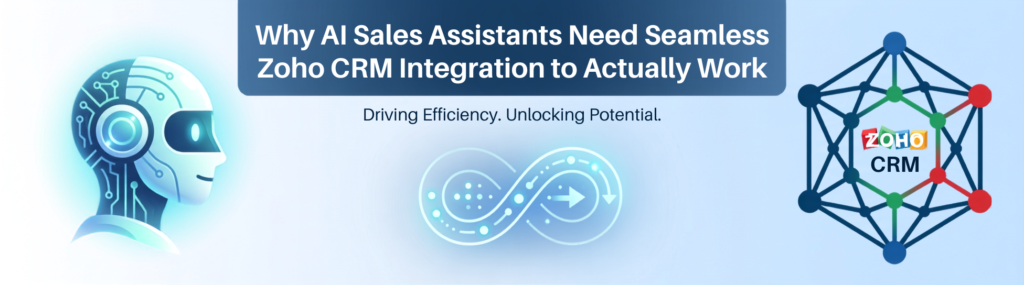
AI sales assistants sound like a dream: automate follow-ups, prioritize leads, and predict deal closures. But here’s the truth, most of them fall short because they lack Zoho CRM Integration with existing sales workflows. You can’t just add an AI tool and expect instant results. Effective Zoho CRM Integration is what enables AI to improve pipeline accuracy, streamline sales productivity, and eliminate disconnected systems instead of creating another silo.
What Top AI Sales Assistant Tools Bring to the Table
There’s no shortage of AI sales assistant tools promising to revolutionize your process. Some of the big names include Conversica, Drift, and Chorus.ai. Each offers cool features: automated email outreach, real-time conversation analysis, lead scoring, and even deal forecasting.
Conversica, for example, excels at engaging leads automatically and nudging prospects who’ve gone cold. Drift focuses on conversational marketing with chatbots that qualify leads instantly. Chorus.ai listens to sales calls and surfaces coaching moments and deal risks.
On paper, these tools sound fantastic. But here’s the catch: if they don’t sync data flawlessly with Zoho CRM, all those insights and automations live in a bubble. You get partial visibility and fragmented workflows, which means sales reps waste time reconciling data or worse, ignoring the AI’s suggestions.
Integration Challenges with Zoho CRM
Zoho CRM isn’t some generic platform where you can just plug and play any AI assistant. It has its own data structures, custom fields, and workflow automations that often don’t align perfectly with third-party AI tools.
Common headaches include:
- Duplicate or mismatched lead and contact records.
- AI-generated activities not syncing back to the right deals or accounts.
- Conflicting automation rules that cause follow-ups to fire twice or not at all.
- Lag in data updates resulting in outdated pipeline views.
These issues lead to inaccurate pipeline metrics, which sales managers hate. If your AI assistant tells you a lead is hot but Zoho CRM shows it as dead, guess which one the sales rep trusts? Spoiler: it’s rarely the tool with poor integration.
Opportunities Hidden in Zoho CRM Integration
Get the integration right, and AI sales assistants become indispensable. They can:
- Automatically update deal stages based on AI insights from email or calls.
- Prioritize leads within Zoho CRM so reps focus on the right prospects.
- Trigger personalized follow-ups timed perfectly using AI’s predictive analytics.
- Provide real-time coaching tips embedded in CRM activities.
This level of integration means your CRM becomes the single source of truth with AI-powered intelligence layered on top. Sales teams don’t have to chase data across platforms or second-guess the AI’s recommendations.
How to Embed AI Sales Assistants into Zoho CRM Workflows for Real Impact
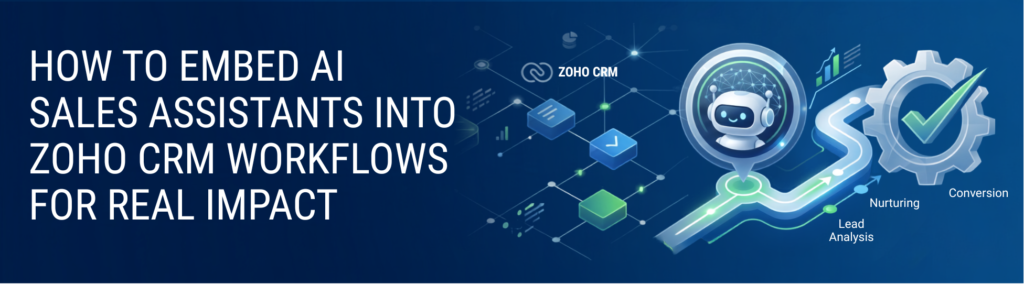
Most companies get this wrong by treating AI tools like a side project instead of a core part of their sales process. Here’s what you absolutely need to do:
Map Your Existing Sales Workflow First
Before installing any AI assistant, understand exactly how your sales process runs inside Zoho CRM. What stages do leads move through? Where do reps spend most of their time? Which manual tasks could AI realistically take over? Without this clarity, you’ll end up with half-baked automations that confuse more than help.
Choose AI Tools with Native or Deep Zoho CRM Integration
Some AI sales assistants offer native Zoho CRM integrations, which means they’re built to sync data bi-directionally without extra middleware. If you pick a tool that requires complex API work or third-party connectors, expect bugs and delays.
For example, Zoho’s own Zia is AI built into the CRM platform, so it naturally understands your data model and workflows. If you want external tools, verify their integration depth and ask for case studies or demos that prove real-time syncing.
Test Data Flow and Sync Accuracy Thoroughly
Don’t just assume the AI assistant is updating your CRM correctly. Run tests with a few leads, check for duplicates, confirm activities land in the right places, and verify pipeline stages update as expected. If you spot errors, fix your mapping or workflow rules before full rollout.
Train Your Sales Team on New Processes
Even the best AI assistant won’t help if your reps ignore it. Show them how the tool integrates with Zoho CRM, how to interpret AI recommendations, and how it saves time rather than adds steps. Resistance often comes from confusion or fear of new tech, not laziness.
Monitor Performance and Iterate
Track metrics like lead response time, deal velocity, and pipeline accuracy after integration. If you don’t see improvements in a few weeks, dig into the data flow and user feedback. AI sales assistants aren’t magic, but they should deliver measurable gains if integrated properly.
Q&A: Why Does AI Sales Assistant Integration with Zoho CRM Matter?
Q: Can’t AI sales assistants work independently without Zoho CRM integration?
A: You can run them separately, but that creates data silos and manual work reconciling insights. Without integration, pipeline data gets messy, and sales reps waste time switching systems instead of closing deals.
Q: What’s the easiest way to test if an AI tool integrates well with Zoho CRM?
A: Run a pilot with a small user group, track lead and activity syncing, and check if AI-driven updates reflect instantly in your CRM. Native integrations or Zoho Marketplace apps usually perform better.
Quick Tips to Avoid AI Sales Assistant Integration Failures
- Don’t rush the setup. Spend time mapping workflows first.
- Pick AI assistants designed specifically for Zoho CRM or with proven deep integration.
- Test thoroughly before rolling out to your whole sales team.
- Train your reps to trust and use AI insights within Zoho CRM.
- Keep monitoring and tweaking based on real user data.
Look, AI sales assistants are not a silver bullet, but they can seriously boost your sales process if you avoid the common trap of treating them as standalone tools. Zoho CRM integration isn’t optional, it’s the foundation for pipeline accuracy and real productivity gains.
If you’ve never had a workflow break silently on a Saturday, you’re either very new to this or very lucky. Don’t let your AI assistant become that silent failure. Make sure it’s embedded deeply into Zoho CRM, and you’ll actually see your sales team hitting their numbers instead of chasing ghosts.