
What Real AI Sales Assistants Look Like in Zoho CRM

Sales leaders have seen the buzz around the AI sales assistant, especially when exploring Zoho CRM’s capabilities. But here’s the catch: not every tool is built equal. Some are just AI-washing fancy marketing terms slapped on old features to look cutting-edge. You need to know how to spot a genuine tool to ensure your team is set up for success.
An authentic smart assistant in Zoho CRM isn’t just about flashy dashboards or automated email blasts. It’s software that uses machine learning and data analysis to provide actionable insights, prioritize leads intelligently, and automate repetitive tasks with precision. By integrating a true AI sales assistant into your workflow, the system learns from your historical data and helps your team close deals faster without adding more noise.
Zoho’s native tool, Zoho Zia, is a solid example of this technology in action. It analyzes customer behavior, predicts sales trends, and offers smart suggestions based on real-time data. If you’re just getting generic reminders or simple, rigid automation, that’s not an intelligent platform doing the heavy lifting it’s just basic automation dressed up.
Why AI-Washing Is Dangerous for Sales Leaders
Here’s the real problem: falling for AI-washing means investing time and budget into solutions that don’t move the needle. You end up with tools that look cool but fail to function as a true predictive system, meaning they don’t improve conversion rates or shorten sales cycles. It’s frustrating and wastes valuable resources.
If you’ve never had a workflow break silently on a Saturday because some poorly optimized feature went haywire, you’re either very new to this or very lucky. A real AI sales assistant needs proper setup and ongoing management. However, when deployed correctly, investing in a robust Zoho Automation strategy pays off significantly.
Measuring ROI from Zoho CRM’s AI Sales Assistants: A Step-by-Step Framework
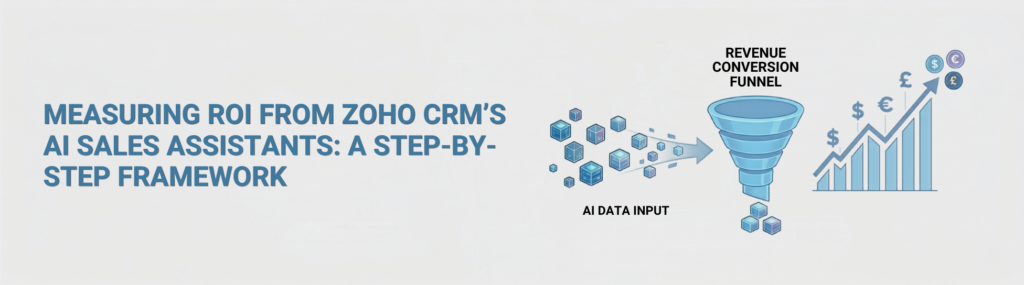
So you’re sold on using Zoho CRM’s smart features. Good. But how do you prove they actually deliver value? Here’s a straightforward framework to measure your return on investment without drowning in spreadsheets.
- Define Clear Objectives: Know exactly what you want from your AI sales assistant. Is it faster lead qualification? More accurate forecasting? Reduced admin time for reps? Without clear goals, ROI measurement is guesswork.
- Establish Baseline Metrics: Before turning on any advanced analytics functionality, get your current numbers—conversion rates, average deal size, sales cycle length, and rep productivity. These are your critical comparison points.
- Implement in Phases: Don’t flip the switch on everything at once. Roll out your automation features gradually to isolate their impact. For example, start with intelligent lead scoring, then add predictive email automation.
- Track Changes Over Time: Monitor the same metrics post-implementation. If your new setup speeds up lead qualification by 20% or improves deal closure rates, that’s your technical ROI showing.
- Gather Qualitative Feedback: Talk to your sales reps. Are they spending less time on admin? Do they trust the system and its recommendations? Sometimes the ROI isn’t just numbers, but improved team morale and focus.
Note: Some benefits show up immediately, like time saved on automated data entry. Others, like improved forecasting accuracy derived from deep trend analysis, take a few months to mature. Patience matters.
Integrating Zoho CRM AI Features Without Overspending
Here’s where most sales leaders mess up: they either go all-in with every feature or shy away completely, fearing complexity or cost. Neither approach helps your bottom line, and it prevents you from maximizing your AI sales assistant.
Start by prioritizing features that directly impact your current sales bottlenecks. For example:
| If your bottleneck is… | Focus on this platform capability: |
| Wasting hours chasing cold leads | Zia’s predictive lead scoring & win-readiness models |
| Poor pipeline visibility & surprise losses | Anomaly detection & smart sales forecasting |
| Slow response times to customer inquiries | Best time to contact suggestions & automated email sentiment analysis |
Also, avoid the trap of layering too many external software tools on top of your stack. Sometimes simpler is better. You don’t need every single widget turned on to see gains. Pick what fits your team’s existing workflow natively within Zoho CRM, allowing your core system to do its job.
Don’t forget training. An AI sales assistant only works if your reps know how to use it and trust its suggestions. If your pipeline relies on seamless multi-channel communication, pairing your setup with tools like Zoho SalesIQ can drastically improve initial contact quality. You’ll get a much higher return from a well-trained team using a handful of core features than from a confused team drowning in options.
Practical Tips for Boosting Sales Productivity
- Automate Routine Tasks: Use your digital assistant to handle follow-up emails, update fields, and schedule meetings. It frees reps for selling, not typing.
- Leverage AI for Lead Prioritization: Not all leads are equal. Let the machine intelligence highlight who’s hot so reps focus efforts where it counts most.
- Monitor System Suggestions: Don’t blindly trust any algorithm. Use data-driven recommendations as a second opinion and cross-check them with your team’s human intuition.
- Regularly Review Performance: Set quarterly reviews to see what’s working and what’s not. Machine learning models need periodic tuning as your target market and business evolve.
Honestly, if you treat artificial intelligence like a magic wand, you’ll be disappointed. A predictive tool is an enterprise asset that requires care, strategy, and a healthy bit of skepticism.
Q&A: What Should CROs Watch Out For?
Q: How do I know if an AI sales assistant is truly adding value?
A: Look for measurable improvements in key sales metrics like conversion rates or sales cycle length after implementation. Also, check if your reps find the platform suggestions relevant and helpful. If it’s just automating simple tasks without offering deeper insight, it’s probably not real AI.
Q: Can these advanced Zoho CRM features work for small sales teams?
A: Absolutely. Zoho scales incredibly well. Small teams benefit immensely from data-driven tools that automate routine tasks and prioritize leads, which often makes a bigger relative impact when human resources are tight. If you are looking to maximize your overall business layout, coordinating with experienced Zoho Consulting Partners can streamline the rollout.
Summary: What Every Sales Leader Needs to Remember
- Not all options are created equal watch out for marketing hype disguised as a true AI sales assistant.
- Measure ROI by setting clear goals, establishing baselines, and tracking changes over time.
- Focus on specific features that solve your biggest sales pain points; don’t turn everything on at once.
- Train your team to use these tools effectively; it’s about augmentation, not replacement.
- Regularly review performance metrics and adjust your system settings to keep the benefits coming.
If you want real ROI from your CRM investment, get past the noise, focus on what moves your metrics, and keep it simple. That’s how you cut through AI-washing and actually boost your sales game with an authentic Zoho CRM Productivity workflow.