

Why Zoho’s SlyteUI UI Builder and Sheet Desktop App Matter
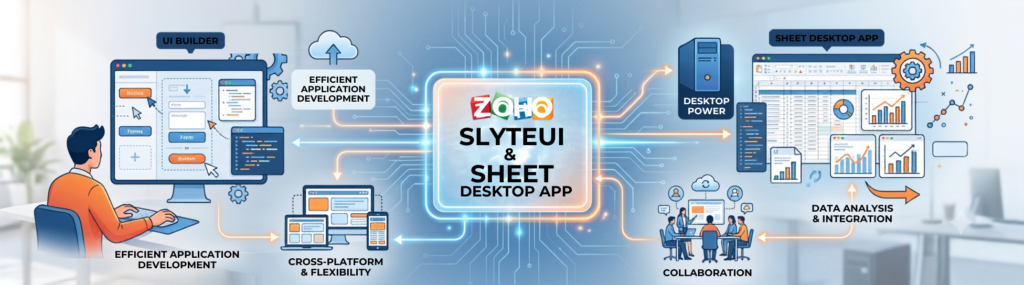
Finding an efficient UI builder and managing offline productivity are major priorities for growing businesses today. Slow development cycles and constant internet dependency can severely reduce operational output. Building applications, managing spreadsheets, and running workflows shouldn’t come to a halt because of complex interfaces or poor connectivity.
Zoho addresses these challenges directly with its SlyteUI platform and the Zoho Sheet Desktop App. SlyteUI simplifies custom interface creation with its intuitive drag-and-drop features, helping teams develop applications faster than ever. Meanwhile, the Zoho Sheet Desktop App lets users work on spreadsheets offline and automatically sync changes once they’re back online.
Together, these tools streamline development, minimize downtime, and keep teams productive wherever they work.
How SlyteUI’s UI Builder Speeds Up Application Development

Creating custom interfaces traditionally required multiple configuration steps, constant previews, and heavy technical adjustments. Even simple modifications could consume valuable development time. SlyteUI transforms this process by offering a flexible UI builder that allows users to design layouts visually, preview changes instantly, and cut down setup time dramatically.
Key advantages of using this visual solution include:
- Intuitive layout customization: Easily drag and drop components without complex code.
- Reduced manual coding: Focus on functionality and user experience rather than backend setup.
- Seamless cross-team collaboration: Bridge the gap between non-technical business teams and developers.
- Rapid prototyping and deployment: Test ideas and roll out internal tools quickly.
Zoho estimates that using a streamlined UI builder like SlyteUI can reduce overall UI development time by up to 50%, allowing organizations to launch internal portals and automated workflows much faster than traditional methods. Rather than waiting days for interface revisions, teams can make adjustments in minutes.
Why Faster UI Development Matters for Modern Businesses
Well-designed user interfaces improve productivity and significantly reduce onboarding time. By leveraging a versatile UI builder, businesses can rapidly adapt their software interfaces to changing operational needs without enduring lengthy development cycles. Teams looking for guidance on setup and optimization often leverage expert Zoho implementation and integration services to accelerate rollout.
The business benefits include:
- Faster project delivery: Get custom business tools into production sooner.
- Lower development costs: Minimize engineering hours spent on minor interface tweaks.
- Higher user adoption: Deliver cleaner, more intuitive user interfaces tailored to employee needs.
- Easier long-term maintenance: Update and tweak layout structures on the fly.
Zoho Sheet Desktop App: Productivity Without Internet Dependency

While cloud applications offer flexibility, they also depend heavily on reliable internet access. Unfortunately, connectivity isn’t always guaranteed.
Whether you’re traveling, working remotely, visiting clients, or dealing with unstable networks, losing access to critical spreadsheets can interrupt important work. The Zoho Sheet Desktop App solves this problem by bringing robust offline capabilities to Zoho Sheet.
Users can:
- Open spreadsheets offline
- Edit data without internet access
- Create formulas and analyze information
- Save changes locally
- Automatically synchronize updates when reconnecting
This means productivity continues regardless of network availability, employees can keep moving forward without interruption.
Combining a Custom UI Builder and Sheet Desktop App for Maximum Efficiency
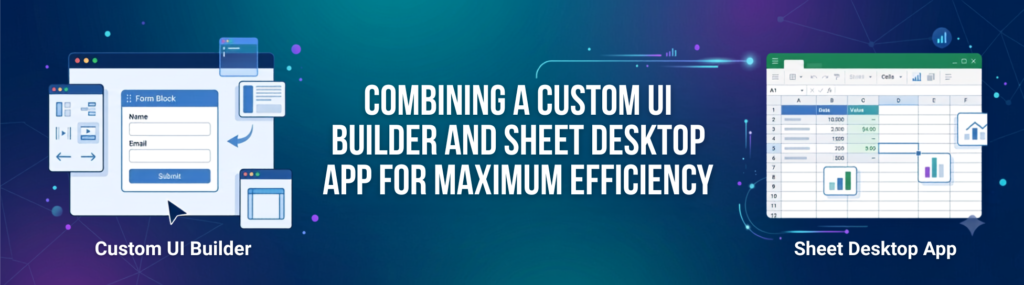
Businesses often rely on dedicated web intake forms using Zoho Forms to capture operational data while using spreadsheets for underlying management and reporting. By pairing SlyteUI’s UI builder with the Zoho Sheet Desktop App, teams can create custom intake forms faster while maintaining full offline productivity.
For example, a field sales team can quickly build a lead capture portal using the visual app builder and utilize the Sheet Desktop App to update pricing, inventory, and sales forecasts even in remote areas.
When connectivity returns:
- Spreadsheet changes synchronize automatically.
- Customer information updates instantly across systems.
- Automation workflows begin processing new data.
- Records in Zoho CRM update and follow-up emails trigger automatically (explore key features in our complete Zoho CRM guidance overview).
Practical Business Use Cases
- Customer Support: Support teams can rapidly build custom ticket dashboards using the UI builder while managing customer service requests in Zoho Desk and maintaining offline issue logs in Zoho Sheet during network outages.
- Sales Teams: Sales reps can design lead management interfaces, collect customer information, update pricing sheets offline, and sync everything automatically once reconnected.
- Finance Departments: Budget planning, expense tracking, and financial tracking via Zoho Books continue uninterrupted using the Sheet Desktop App, while SlyteUI helps build approval portals and reporting dashboards.
- Field Operations: Inspection teams working in remote locations can capture data through custom interfaces built via the UI builder and maintain updating spreadsheets offline.
- Human Resources: HR departments can build onboarding portals using Zoho People with ease while maintaining recruitment trackers offline during travel.
Final Thoughts
Slow interface development and strict internet dependency can severely limit productivity, but Zoho offers practical solutions. Leveraging SlyteUI as your primary UI builder speeds up application creation, while the Sheet Desktop App ensures uninterrupted offline editing with automatic background syncing.
Together, these tools empower businesses to build faster, work without interruption, and drive efficiency across everyday workflows.