
Today, organizations rely on CRM platforms to power sales, support, and operations beyond simple contact management. As a result, Zoho CRM’s ongoing evolution exemplifies this shift. In this latest update cycle, Zoho CRM Workqueue not only enhances productivity but also drives advancements in automation and integration security.
Together, these updates deliver centralized workflows, intelligent automation, and stronger integration security. Moreover, they address some of the most pressing challenges facing modern businesses today. Let’s now explore each announcement, along with its impact, supported by industry research and practical recommendations for your CRM strategy.
The Productivity Revolution: How Zoho CRM Workqueue Streamlines Your Sales Day
From Fragmentation to Focus: Why Centralization Matters
For many organizations, daily work is scattered across CRM modules, tasks, approvals, and records, causing inefficiencies and missed opportunities. As a result, this fragmentation leads to lost time, overlooked opportunities, and employee frustration. Moreover, organizations that prioritize CRM usability and workflow centralization often see 15% higher user adoption and 12% better data accuracy.
Meet Zoho CRM Workqueue: Your Unified Sales Command Center
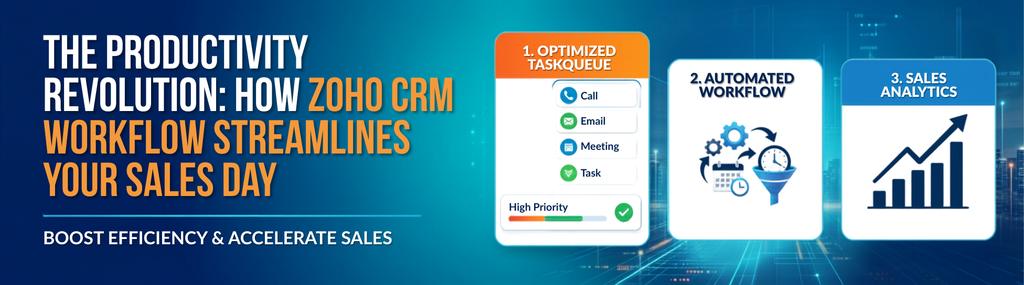
The Zoho CRM Workqueue addresses these challenges head-on by offering a consolidated workspace for all critical sales items. Here’s how this feature transforms your team’s daily rhythm:
- My Activities: Zoho CRM Workqueue displays all scheduled, due, and overdue tasks in one place with color-coded priorities. As a result, sales reps can complete, edit, or track tasks without toggling between modules. Moreover, immediate visibility eliminates surprises and keeps everyone focused.
- My Jobs: Approvals, workflow reviews, and even AI-powered image validations via Zia Vision are all consolidated. With direct access to delegate, approve, or reject requests right from your Zoho CRM Workqueue dashboard, decision cycles shrink dramatically.
- My Workqueues: Users can create custom sub-queues using filters and views, enabling seamless task organization and team handoffs.
- Manager View: Sales managers can monitor team queues in Zoho CRM Workqueue for faster coaching, accountability, and better pipeline visibility.
The Zoho CRM Workqueue is now available for all users, delivering immediate efficiency gains with zero code or configuration overhead. For a complete guide on how to configure and deploy this feature, refer to the official Workqueue Help Document.
Operational Impact of the Zoho CRM Workqueue
With Zoho CRM Workqueue, teams reduce follow-ups, avoid delays, and speed up approvals. When sales teams have a clear, prioritized path for each day, pipeline velocity improves, which is a key driver of revenue growth. Furthermore, with manager views, leaders can quickly spot and resolve bottlenecks before they impact results.
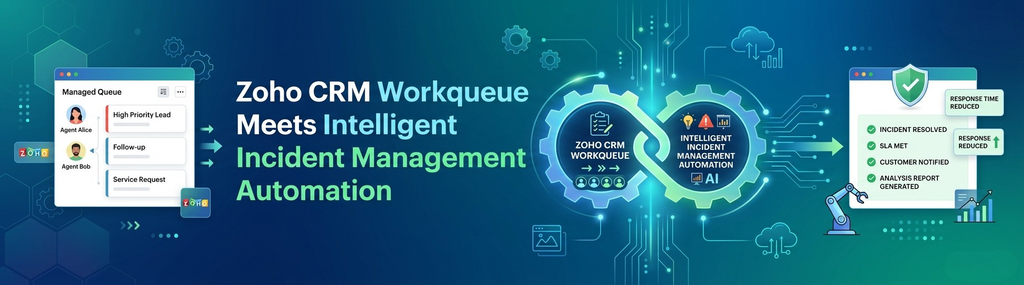
Zoho CRM Workqueue Meets Intelligent Incident Management Automation
The Hidden Cost of Process Gaps
Operational gaps delayed approvals, compliance risks, missed SLAs can stifle even the best-run organizations. Indeed, Gartner research underscores how deeply poor process automation costs businesses annually in avoidable overhead and lost productivity. Zoho Creator’s Learning Table Series highlights purpose-driven solutions that complement Zoho CRM Workqueue efficiency.
What’s New in Incident Management Automation?
This February’s Learning Table Series goes deep on streamlining incident management using Zoho Creator. The session promises actionable strategies for CRM and operations leaders:
- Real-World Challenges Tackled: The session explores how overdue invoices, approvals, deadlines, and compliance issues create operational bottlenecks.
- Automated Schedules: Set up recurring checks for exceptions think overdue items or SLA breaches so nothing slips through the cracks.
- Instant Notifications: Real-time alerts notify the right team members as soon as anomalies are detected, enabling swift, proactive intervention.
- Workflow Automation and Blueprints: Remove subjectivity from resolutions. Use blueprints to define who should do what, by when, and automate handoffs and escalations when exceptions occur.
- AI Agent Integration: Zoho Creator’s AI Agent assists with pattern recognition, automating follow-up tasks, triaging incidents, and highlighting high-risk scenarios. This hands-off intelligence brings those “wow” moments for both staff and customers.
AI, Blueprint Automation, and Zoho CRM Workqueue: Competitive Differentiators
Intelligent automation isn’t just a trend, it’s a performance driver. For example, AI-driven automation speeds incident resolution by 31% and cuts compliance violations by 22%. Additionally, Zoho Creator combines schedules, notifications, and smart workflows to help businesses prevent disruptions.
If incident management, lead tracking, or workflow automation are challenges, Zoho CRM Workqueue can improve operational reliability. Lead Finder improves automated funnels by providing accurate, high-quality pipeline data.
Raising the Bar on Security: Zoho OAuth Connector Deprecation Explained
What’s Changing and Why It Matters
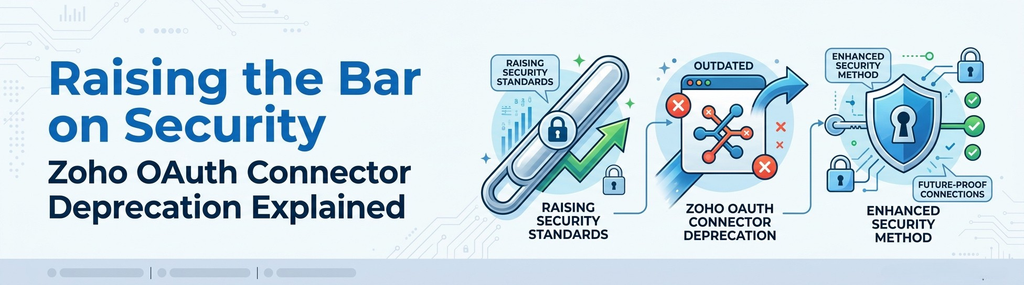
Zoho is deprecating its OAuth default connector for services like Zoho Desk, beginning January 31, 2026. While this might seem like a technical update, it’s a fundamental upgrade for security, ensuring data moving in and out of your Zoho CRM Workqueue ecosystem remains fully protected.
The New Paradigm: Service-Specific & Custom Connectors
Going forward, Zoho recommends:
- Service-Specific Connectors: Use dedicated connectors for each Zoho app (e.g., Zoho CRM, Zoho Books, Zoho Projects). Each connector provides tighter control over permissions, data flows, and revocation. Learn more about setting them up via the Zoho Connection Help Guide.
- Custom Connectors: If your workflow requires access to multiple services in a single integration, you can build tailored, secure access mapped perfectly to your organization’s unique parameters by utilizing the Zoho Connections Developer Reference.
According to an IDC Research report, organizations moving to app-specific connectors report a 39% reduction in integration vulnerabilities and 23% faster remediation in the event of a breach.
Migration Roadmap: What You Need To Do
- Phase 1: After January 31, 2026, new OAuth connections can no longer be established; only existing ones will persist (for a limited window).
- Phase 2: Over the next 12 months, the old connector will be fully retired. Advance planning is key to avoiding service interruptions in Zoho Desk custom functions, integrations, or extensions linked to your Zoho CRM Workqueue actions.
- Action: Review which systems use the OAuth connector and begin transitioning to service-specific or custom connections.
Actionable Takeaways for CRM Leaders
- Centralize Task Management: Deploy the Zoho CRM Workqueue for sales and support teams to unify daily actions, reduce menu-hopping, and ensure nothing slips through the cracks.
- Automate Incident Resolution: Attend Zoho Creator’s incident management session and audit your existing workflows to see how exceptions can feed back into the Zoho CRM Workqueue.
- Leverage AI for Routine Work: Integrate AI Agents for proactive notification, follow-up, and categorization especially for high-volume incident or lead flows.
- Audit and Migrate Integrations: Inventory your use of the Zoho OAuth connector, then work with IT to adopt service-specific connections well ahead of the deprecation timeline.
- Invest in Security & Compliance: Regularly review integration permissions and automate compliance checks using dedicated tools and secure connectors.
Ready to Accelerate Your CRM Transformation?
Today’s Zoho announcements from the productivity leap of the Zoho CRM Workqueue to intelligent process automation and ever-stronger integration protocols underscore a simple truth: modern CRM isn’t just about customer data. It’s about orchestrating people, policy, automation, and security into a unified business engine.
If you’re ready to implement these best practices, streamline your workflows, or explore how Zenith Innovations can tailor your Zoho CRM Workqueue, Creator modules, or secure integrations for your business, our team is here to help. Contact us today for a free workflow assessment or request a personalized demo to see these solutions in action.