


What is Zoho Desk’s Parent-Child Ticketing and Why It Matters
Zoho Parent Child ticketing in Zoho Desk is a way to connect related support tickets under one main ticket, known as the parent. This means when a customer reports multiple issues or when several tickets stem from the same root cause, you aren’t juggling separate threads that clutter your workflow. Instead, you have a clear, organized view of the problem and all its offshoots.
This setup transforms chaotic inboxes into streamlined queues. It’s particularly useful for small teams where every minute counts and no one wants to waste time chasing down duplicate information. If you need assistance setting up these custom workflows, expert guidance through professional implementation services can help tailor the system to your specific processes.
Step-by-Step Setup of Zoho Desk’s Parent-Child Ticketing Feature
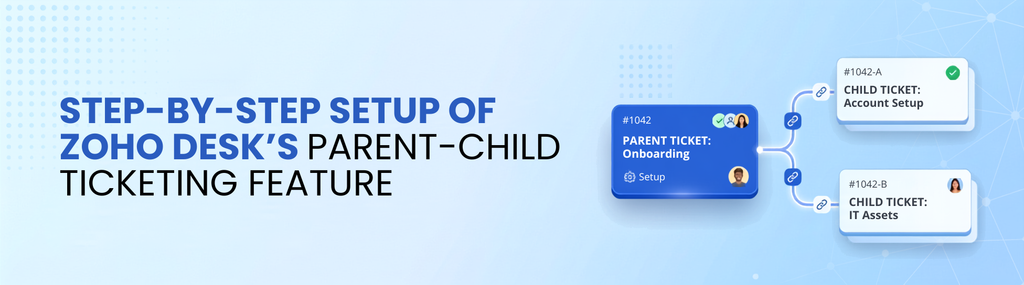
Getting Zoho Parent Child ticketing up and running is simpler than most guides make it out to be. Here’s what you actually need to do:
- Access your Zoho Desk Admin Panel: Log in and head straight to the setup menu. This is where you can configure your ticketing settings.
- Enable Parent-Child Ticketing: Look for the “Ticket Settings” section, where you can enable parent-child ticketing. Turn it on to start organizing related tickets.
- Configure Permissions: Decide which agents can create parent tickets and link child tickets. For small teams, it’s often best to allow most agents this ability to avoid bottlenecks.
- Train Your Team: Show agents how Zoho Parent Child ticketing works, including how to link tickets manually or set up automation rules that group related tickets based on criteria such as customer ID, issue type, or keywords.
- Test with Real Tickets: Run a few scenarios where customers report multiple problems. Link child tickets to a parent and observe how the dashboard updates. This hands-on approach helps your team understand the workflow before handling real customer issues.
That’s it. No need for complicated workflows or third-party integrations right off the bat.
Why Grouping Related Tickets Cuts Repetitive Work and Speeds Up Response Times

When support teams treat every ticket as a standalone problem, they waste time repeating information. Customers may have to explain the same issue multiple times, while agents spend valuable time handling redundant replies.
Zoho Parent Child ticketing helps prevent this by keeping related issues under one parent ticket. Your team can see the full picture immediately, address the root cause, and coordinate updates across related tickets. This can reduce unnecessary communication and help customers receive consistent information faster.
Imagine a customer reporting a software bug along with questions about how it affects their account. Instead of two agents working separately on two tickets, one agent can manage the parent ticket while keeping the linked child tickets organized. That’s a significant time saver.
Best Practices for Small Teams Managing Multi-Issue Customer Requests
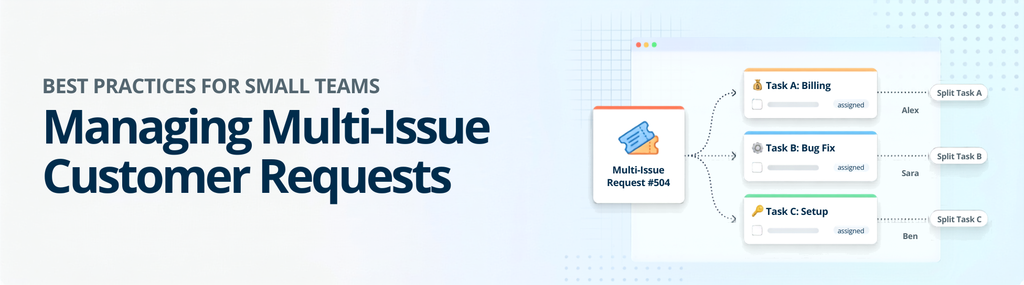
Small teams don’t have the luxury of deep specialization or endless capacity. Using parent-child ticketing effectively can help them stay organized when multiple issues come from the same customer.
- Keep it Simple: Don’t overcomplicate ticket linkage rules. Start with basic criteria such as customer ID or issue tags to group tickets.
- Prioritize the Parent Ticket: Make the parent ticket the single source of truth. All important updates, notes, and resolutions should be organized around it.
- Use Automation Wisely: Set up rules to automatically group related tickets when possible, but always allow manual overrides. Automation that goes wrong can create more headaches than it solves.
- Communicate Clearly: Let customers know you’re handling their issues collectively. This reduces repeat inquiries and builds trust.
- Review and Refine: Periodically audit how tickets are grouped and resolved. Regular reviews can help you improve your ticket management system workflow as your support process evolves.
Q&A: Common Questions About Zoho Desk’s Parent-Child Ticketing
Can I link tickets after they’ve been created?
Yes. Zoho Desk lets you link existing tickets as child tickets under a new or existing parent ticket. This is useful when you discover related issues after the fact or when customers open multiple tickets over time. With Zoho Parent Child ticketing, these related requests can be brought together for easier management.
Does parent-child ticketing affect reporting?
It does. Utilizing business intelligence tools like Zoho Analytics alongside your desk metrics provides clear insights into how tickets are grouped and how efficiently your team resolves multi-issue requests. This makes parent-child ticketing useful not only for organizing support requests but also for identifying recurring issues and improving support operations.
Core Takeaways
- Zoho Parent Child ticketing: groups related customer issues under one main ticket, reducing support chaos.
- Setup is straightforward: enable the feature, configure permissions, train your team, and test the workflow.
- Grouping tickets: cuts repetitive work and can accelerate response times by keeping related issues organized.
- Small teams: should keep linking rules simple, prioritize parent tickets, and use automation carefully.
- Regularly reviewing: your ticket management process keeps the system efficient and responsive.
If you’re still managing customer issues one ticket at a time, you’re wasting time and energy. Zoho Parent Child ticketing in Zoho Desk isn’t just a neat feature, it’s a practical solution that makes your support team’s life easier and your customers happier. Start using it today and watch the chaos fade.