

Introduction
Zoho SlyteUI for SMBs is quickly becoming one of the most exciting additions to the Zoho ecosystem. Small and medium-sized businesses often face a common challenge: they can automate processes, collect data, and manage customer relationships, but creating user-friendly interfaces for those workflows can take days or even weeks. This delay often slows down digital transformation projects and prevents teams from getting the full value from their automation efforts.
That’s where this new low-code interface builder comes in. Designed specifically as a visual development tool, Zoho SlyteUI for SMBs helps businesses create powerful, interactive user interfaces without extensive coding knowledge. Whether you’re building internal dashboards, approval forms, customer portals, or workflow-driven applications, this platform allows you to design and deploy them quickly.
Instead of spending valuable time on complex front-end development, businesses can focus on improving operations, serving customers, and growing revenue. In this guide, we’ll explore what this interface builder is, how it works, and why your growing business should pay close attention to it.
What Is Zoho SlyteUI?
Zoho SlyteUI is a modern user interface development tool that enables businesses to build functional applications and dashboards using a visual drag-and-drop approach. It eliminates much of the traditional complexity associated with UI development while maintaining seamless integration with the Zoho ecosystem.
Many organizations have strong automation systems running behind the scenes. However, employees and customers still need intuitive interfaces to interact with those systems. Traditionally, building those interfaces required developers, custom coding, testing cycles, and ongoing maintenance.
The Zoho SlyteUI platform simplifies this process by providing pre-built components, visual design tools, and direct connections to Zoho applications. This allows organizations to build interfaces faster while maintaining consistency across business processes. For SMBs that need to move quickly and operate efficiently, adopting this UI builder can significantly reduce project timelines and development costs.
Why SMBs Should Care About Zoho SlyteUI
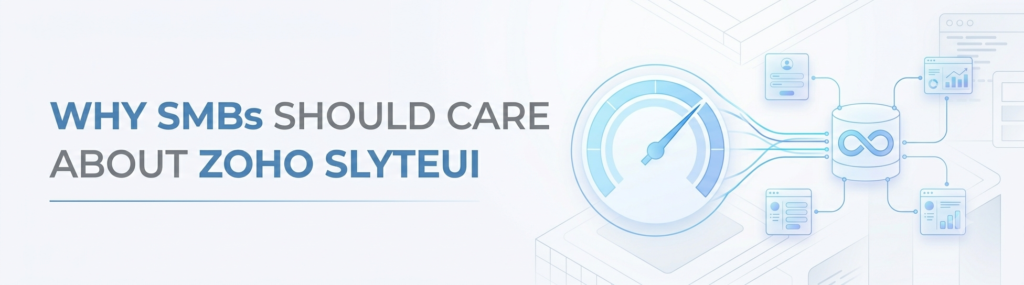
Small and medium-sized businesses typically operate with limited resources. Hiring dedicated UI developers or investing in lengthy development projects isn’t always practical.
Implementing Zoho SlyteUI for SMBs addresses several common operational challenges:
- Faster Development: Instead of waiting weeks for custom interfaces, teams using Zoho SlyteUI can build and deploy solutions within hours. This speed allows businesses to respond quickly to changing operational needs.
- Reduced Dependence on Developers: Business users can create functional interfaces themselves using visual tools. This empowers departments to solve problems without relying entirely on IT teams.
- Better Adoption of Automation: Even the most powerful automation system fails if users find it difficult to use. This interface creator helps teams build intuitive layouts that encourage employee adoption and improve workflow efficiency.
- Lower Costs: By reducing development time and minimizing custom coding requirements, organizations can lower the overall cost of implementing business applications.
- Seamless Zoho Integration: Since the application is native to the Zoho ecosystem, it works naturally with Zoho CRM, Zoho Books, Zoho Creator, and other core business applications.
How to Build a Functional UI in Under 15 Minutes Using Zoho SlyteUI

One of the biggest advantages of Zoho SlyteUI for SMBs is its speed. Businesses can go from a basic concept to a working interface remarkably quickly by following these simple steps.
Step 1: Access the Interface Builder
Start by logging into your Zoho environment and opening the Zoho SlyteUI module. Depending on your Zoho subscription and rollout availability, the tool may already be accessible within your account dashboard. Once inside, you’ll see a clean workspace designed to simplify interface creation.
Step 2: Select a Template or Start Fresh
The platform offers templates that help accelerate development. These Zoho SlyteUI templates include common business use cases such as:
- Approval workflows
- Customer information forms
- Internal dashboards
- Project tracking systems
- Feedback collection forms
Templates provide a solid starting point and eliminate repetitive setup work. Businesses that require unique interfaces can also begin with a blank canvas and build everything from scratch.
Step 3: Add and Configure Components
The drag-and-drop builder makes interface design straightforward. Within the Zoho SlyteUI workspace, users can add buttons, text fields, dropdown menus, tables, charts, checkboxes, and date selectors.
Each element can be configured through a visual settings panel. Labels, visibility rules, default values, validations, and permissions can all be adjusted without writing code. This flexibility allows organizations to create interfaces that match their exact business requirements.
Step 4: Connect Data and Workflows
This is where Zoho SlyteUI for SMBs truly stands out. UI components can be connected directly to Zoho data sources and business processes. For example, you can:
- Update CRM records from a form
- Trigger approval workflows
- Create tasks automatically
- Send notifications
- Launch custom functions
- Retrieve customer information in real time
Because everything remains within the Zoho ecosystem, setup is significantly simpler than managing multiple third-party integrations.
Step 5: Test and Publish
Before deployment, users can preview the final interface and test its functionality. Verify that forms submit correctly, automations trigger properly, data updates accurately, and user permissions work as expected.
Once testing is complete, your newly minted application can be published and shared with employees, customers, or stakeholders. In many cases, the entire layout process can be completed in less than 15 minutes.
Real-World Business Benefits
The value of Zoho SlyteUI for SMBs becomes even clearer when examining practical, everyday applications across different industries.
- Marketing Agencies: Agencies often need custom dashboards to track campaign performance, approvals, and client requests. With this tool, they can quickly create centralized dashboards that connect directly to CRM data and project management workflows.
- Retail Businesses: Retail companies frequently manage inventory across multiple systems. A custom dashboard built on this platform can combine inventory information, sales data, and supplier updates into a single interface, giving employees full visibility without switching apps.
- Service Organizations: Professional service firms can use the low-code builder to create onboarding forms, approval systems, and client request portals, improving operational efficiency while maintaining a professional customer experience.
- Internal Operations Teams: Human resources, finance, and operations departments can build custom workflows that streamline routine processes such as leave requests, expense approvals, and document management.
The Future of Business Application Development

The demand for low-code and no-code development platforms continues to grow. Businesses increasingly need solutions that can be deployed quickly without lengthy development cycles, making tools like Zoho SlyteUI for SMBs a necessity rather than a luxury.
This tool aligns perfectly with modern digital trends by giving organizations the ability to create modern interfaces while leveraging the data and automation already present within their Zoho environment. As Zoho expands the builder’s capabilities and integrations, SMBs can expect even more opportunities to streamline operations and improve user experiences.
Final Thoughts
Zoho SlyteUI for SMBs offers a practical solution to one of the biggest challenges in business automation: creating user-friendly interfaces quickly and efficiently.
By reducing development time, simplifying customization, and integrating seamlessly with existing Zoho applications, this workspace enables businesses to build functional interfaces in minutes rather than weeks. Whether you’re creating dashboards, approval systems, customer forms, or internal applications, it provides the tools needed to transform ideas into working solutions rapidly.
For growing companies looking to accelerate digital transformation without increasing technical complexity, investing time into Zoho SlyteUI for SMBs is a step in the right direction.