
Why Zoho Automation Is the Smart Fix for SMBs Drowning in Busywork
For SMBs, every minute spent on repetitive tasks is time taken away from serving customers and growing the business. Instead of hiring more staff to handle manual work, implementing Zoho Automation for SMBs helps streamline everyday processes and boost overall workplace productivity.
Whether it’s assigning leads, sending follow-up emails, updating CRM records, or routing support tickets, Zoho CRM automates repetitive tasks to improve efficiency and consistency. By reducing busywork, your team can focus on closing deals, solving customer problems, and driving business growth.
Spotting the Biggest Time Wasters in Sales and Support

Before implementing Zoho Automation for SMBs, it’s important to identify exactly where your team is losing time. Many businesses assume they know their biggest bottlenecks, but a closer look often reveals dozens of repetitive tasks consuming hours every week.
Some of the most common productivity drains include:
- Manual CRM data entry after customer calls or meetings
- Sending repetitive follow-up emails
- Assigning leads to sales representatives manually
- Creating reminders for overdue opportunities
- Updating deal stages individually
- Routing customer support tickets
- Sending status updates to customers
- Creating repetitive tasks for team members
Although these tasks only take a few minutes each, they quickly add up. Sales teams can spend hours updating CRM records and sending follow-ups, while support teams lose time routing tickets and providing manual status updates.
One SMB discovered that employees were spending nearly 20% of their workday on repetitive administrative tasks. By identifying and automating these activities, they significantly improved productivity without increasing headcount. Understanding about Zoho CRM and how its core architecture functions is often the first step in recognizing where your team’s time is being spent and where automation can help.
Automate Repetitive Tasks with Zoho CRM Workflows

Once you’ve identified your biggest bottlenecks, the built-in features of Zoho Automation for SMBs can eliminate repetitive work and improve team productivity.
Workflow Rules
Automatically trigger actions when specific conditions are met. You can use them to:
- Assign qualified leads automatically
- Send follow-up emails
- Create tasks and reminders
- Update CRM records
- Notify team members instantly
Macros
Perform multiple actions with a single click, helping teams:
- Update multiple fields at once
- Change deal stages quickly
- Send routine emails
- Complete repetitive sales tasks faster
Blueprints
Keep your sales process consistent by guiding users through predefined steps. They help:
- Standardize sales workflows
- Ensure required actions are completed
- Reduce manual errors
- Improve process compliance
Start by automating the tasks your team performs most often. If your sales reps work on the field or rely heavily on location tracking, leveraging specialized tools like the new features of Map View Zoho CRM Extension can further optimize field operations. Keeping workflows simple not only makes automation easier to manage and scale as your business grows, but also helps you achieve results more efficiently. Moreover, small wins build momentum and, ultimately, deliver faster returns.
Use AI with Zia to Upgrade Zoho Automation for SMBs

Traditional automation follows predefined rules. Artificial intelligence adds another layer by making recommendations, identifying patterns, and handling routine customer interactions.
Zoho CRM’s AI assistant, Zia, helps small businesses automate activities that previously required human judgment.
Instead of simply executing workflows, Zia can:
- Predict which deals are most likely to close
- Identify unusual sales trends
- Recommend the best time to contact leads
- Detect anomalies in CRM data
- Answer frequently asked customer questions
- Provide sales insights
- Remind representatives about follow-ups
Zia can alert sales teams when high-value deals need attention or identify opportunities that are losing momentum. For support teams, AI-powered chatbots can quickly handle common customer queries, such as order status, pricing, and business hours. As a result, they reduce response times and free agents to focus on more complex issues.
Rather than replacing employees, Zia enhances productivity by taking care of repetitive, routine interactions.
Measure Whether Your Zoho Automation Strategy Is Working
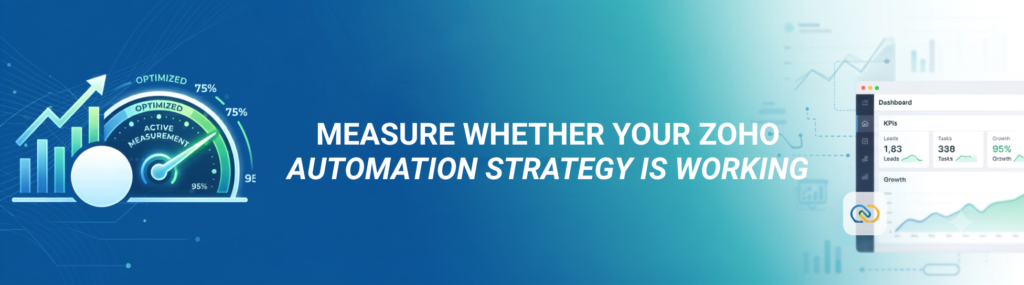
Implementing automation is only the beginning. To understand its true value, businesses need to measure the impact using clear performance indicators.
Before rolling out Zoho Automation for SMBs, establish measurable goals such as:
- Reduction in manual administrative work
- Faster lead response times
- Higher follow-up completion rates
- Shorter customer support resolution times
- Increased sales conversions
- Improved employee productivity
- Better customer satisfaction
Integrating powerful business intelligence tools like Zoho Analytics alongside Zoho CRM’s reporting dashboards makes it easy to visualize trends, build custom reports, and compare performance before and after automation.
For example, you may discover that:
- Sales representatives now spend 30% more time speaking with prospects.
- Customer response times decrease significantly.
- Lead assignment happens instantly instead of waiting hours.
- Follow-up consistency improves across the sales team.
- Deal closure rates increase because fewer opportunities fall through the cracks.
Automation often reveals issues like duplicate records, inconsistent data, or inefficient workflows. Treat these as opportunities to improve your processes. Regularly review and refine your workflows so your automation continues to support your business as it grows.
Best Practices for Successful Zoho Automation for SMBs
Many SMBs make automation more complicated than it needs to be. The most successful implementations usually begin with a handful of high-impact workflows before expanding gradually. If your internal team lacks the bandwidth or technical depth to build these out, partnering with experts for implementation services can help accelerate deployment and avoid setup errors.
Some practical best practices include:
- Automate your largest time-consuming tasks first.
- Keep workflow logic simple and easy to understand.
- Document every automation process.
- Test workflows before deploying them company-wide.
- Regularly review automation performance.
- Eliminate unnecessary approval steps.
- Train employees to work alongside automation instead of around it.
- Continuously optimize based on performance data.
Remember, the goal isn’t to create dozens of complicated workflows. The goal is to reduce repetitive work while making daily operations faster, simpler, and more reliable.
Final Thoughts
As your business grows, manual tasks can slow productivity and impact customer service. Implementing Zoho Automation for SMBs helps eliminate repetitive work through workflows, macros, Blueprints, and AI-powered tools like Zia, allowing your team to focus on higher-value activities.
Start with your biggest time-wasters, refine your workflows over time, and let automation help your business work smarter, improve efficiency, and scale with confidence.