
Following up with leads consistently can be challenging. Missed emails, forgotten calls, or delayed responses often result in lost opportunities and lower conversion rates. As businesses grow, manual follow-ups become harder to manage, making lead automation an essential strategy for modern sales teams.
Multi-step automated lead follow-up sequences in Zoho CRM solve this by automatically sending emails, assigning tasks, scheduling reminders, and triggering actions based on lead behavior or sales pipeline stages. With these workflows in place, businesses can maintain consistent communication while sales teams focus on building relationships and closing more deals.
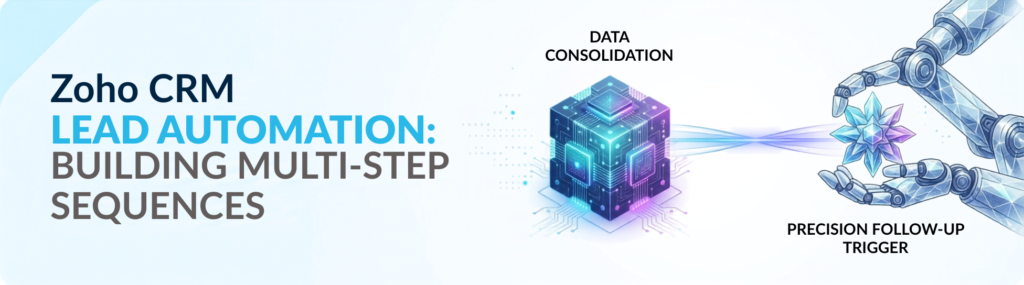
Zoho CRM Lead Automation: Building Multi-Step Sequences
Before creating automation, it’s essential to understand your sales process. A well-organized pipeline ensures your workflows support your business instead of creating unnecessary complexity.
Start by identifying the key stages your leads move through. A typical sales pipeline may include:
- Lead Capture
- Qualification
- Needs Analysis
- Product Demonstration
- Proposal
- Negotiation
- Closed Won
- Closed Lost
Instead of relying on a generic pipeline, tailor each stage to match how your team actually sells. Every business has unique customer journeys, and your CRM should accurately represent them.
After defining your pipeline, build workflow rules that trigger actions whenever a lead moves from one stage to another. For example, moving a lead from Qualification to Needs Analysis can automatically activate your lead automation protocols to send a follow-up email, assign a call reminder, and schedule the next activity.
Adding conditions to your workflows further improves accuracy. You can trigger automation only when a lead has a verified email address, belongs to a specific industry, or hasn’t been contacted within a set timeframe using a Phone & Email Verifier tool.
Build Multi-Step Email Follow-Up Sequences
One of the platform’s most valuable features is its ability to create intelligent email sequences that respond to customer actions instead of simply sending emails on fixed dates.
A simple lead automation sequence might look like this:
- Day 1: Send a personalized welcome email after qualification.
- Day 3: If there’s no response, send a case study or educational resource.
- Day 5: If the lead clicks the link, automatically send more product information or a meeting invitation.
- Day 7: If there’s still no engagement, send a final follow-up with a consultation invitation or special offer.
Instead of treating every prospect the same, the workflow adapts based on each lead’s interactions. Engaged prospects receive more relevant content, while inactive leads continue through a nurturing sequence until they’re ready to respond. This behavior-based approach creates a more personalized customer experience while reducing manual work for your sales team.
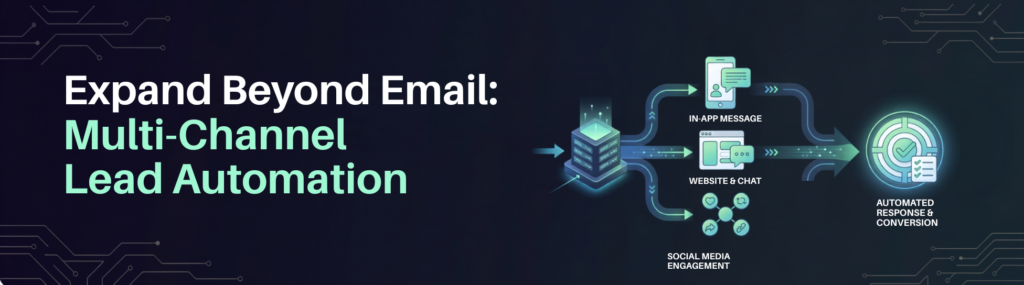
Expand Beyond Email: Multi-Channel Lead Automation
Although email remains one of the most effective sales communication tools, relying on it alone isn’t always enough.
You can combine several communication methods into your broader marketing automation strategy, including:
- Email campaigns
- SMS notifications
- Follow-up task assignments
- Internal notifications
- Calendar reminders
- Phone call scheduling
For example, if a prospect opens a proposal but doesn’t respond within two days, the CRM can automatically assign a follow-up call while sending an SMS reminder. Using multiple channels keeps important opportunities moving and gives prospects more ways to engage.
Personalize Every Workflow
Successful automation isn’t about sending more emails it’s about sending more relevant ones. Using customer information stored in your system, workflows can be personalized based on criteria like industry, lead source, location, and previous interactions.
For example, a prospect interested in a full Zoho implementation can receive implementation-focused content, while someone exploring custom application development receives information tailored specifically to building apps in Zoho Creator. Personalized communication keeps follow-ups relevant and significantly increases engagement.
Test Your Lead Automation Before Launch
Even the best-designed workflow should always be tested before going live. Create test leads and verify that every automation performs as expected.
Check that:
- Emails are delivered correctly.
- Workflow triggers activate at the right time.
- Tasks are assigned correctly.
- Conditions work properly.
- Merge fields display accurate information.
- Notifications reach the right team members.
Testing helps identify workflow issues before they impact actual customers, reducing the risk of missed follow-ups or duplicate communications.
Monitor Performance and Optimize Regularly
Automation should never be considered a one-time setup. After your workflows are live, regularly monitor metrics such as:
- Email open rates
- Click-through rates
- Reply rates
- Meeting bookings
- Lead conversion rates
- Pipeline progression
- Task completion rates
When engagement drops, experiment with different subject lines, messaging, or timing to improve results. Likewise, identify high-performing workflows and apply those successful strategies across your sales process.
Conclusion
Lead automation through multi-step automated follow-up sequences helps businesses streamline sales by automating follow-ups, assigning tasks, and responding to lead behavior. Every prospect receives timely communication while sales teams can focus on building relationships and closing deals.
Success depends on building workflows around your sales pipeline, personalizing customer interactions, and continuously optimizing performance. By combining email, SMS, and task reminders, lead automation enables businesses to deliver consistent follow-ups, improve engagement, increase conversions, and build a stronger, more efficient sales pipeline.