


Why SMBs Struggle With Managing Geographically Spread Sales Leads
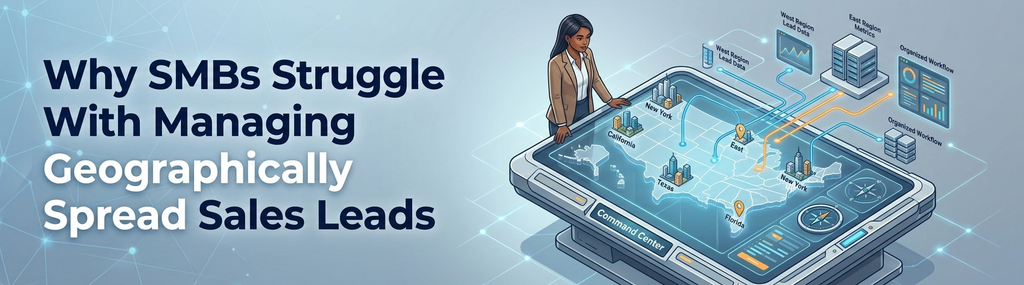
Your sales team juggling dozens or maybe hundreds of leads that are scattered across multiple regions. You know there’s potential everywhere, but making sense of that data for effective sales territory management? That’s a different story. For small and medium-sized businesses, the challenge isn’t just finding leads. It’s figuring out who owns what territory, where the overlaps happen, and how to prioritize efforts without wasting time or resources.
Most CRM systems dump a list of leads and accounts in front of you. But lists don’t tell you where your customers actually are, or how close they are to your reps. You end up juggling spreadsheets, maps on paper, or worse, relying on memory. The result? Missed opportunities, inefficient routes, and frustrated sales reps.
That’s why visualizing sales territories matters. If you can see your leads on a map, you get a real sense of geography, density, and potential. You can spot clusters, gaps, and regions that need rebalancing through modern sales territory management. Without this visibility, you’re flying blind.
How MapView for Zoho CRM Simplifies Location-Based Sales Management

Zoho CRM’s Map View extension is a robust mapping platform, it integrates location data directly from Zoho CRM to maps. What does this mean? Instead of scrolling through endless lists, you see your leads, accounts, and sales reps plotted on an interactive map.
Map View is designed for accuracy and usability, with features like heat maps, route optimization, and area segmentation that elevate everyday sales territory management. When Zoho CRM added Map View, building on foundational capabilities explored in about Zoho CRM, they gave SMBs a tool to handle regional assignments the way large enterprises do, but without the complexity or cost.
This isn’t one of those clunky add-ons that slow down your workflow. It’s built right into Zoho CRM and updates in real time as your data changes. So if a lead moves, or a rep closes a deal, your map reflects that instantly. It’s location-based CRM data visualization made intuitive, further enhanced by the latest new features of map view Zoho CRM extension.
Practical Steps to Use Zoho CRM’s Map View for Effective Sales Territory Management
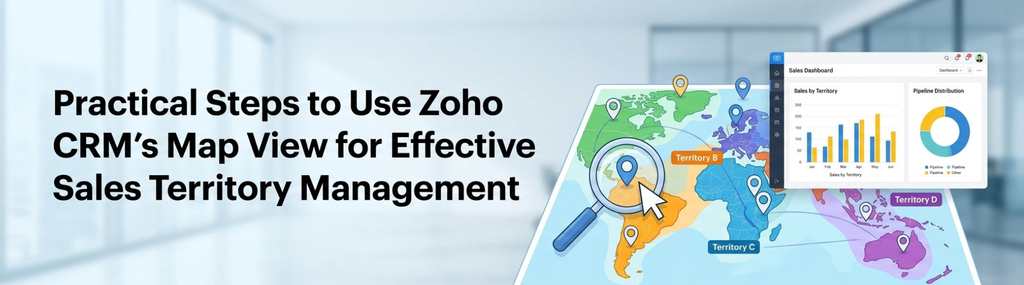
Let’s get practical. You don’t want to spend hours tinkering with settings or training your team on complicated software. Here’s how to make Map View work for your SMB, step by step:
- Segment Your Leads by Location: Start by tagging your leads and accounts with addresses or GPS coordinates. Zoho CRM’s Map View will automatically place these on the map, laying the groundwork for clean sales territory management. You can then create clusters based on regions, zip codes, or custom boundaries that make sense for your business, using specialized strategies outlined in this comprehensive guide to regional mapping.
- Assign Territories Visually: Drag and drop to assign leads within specific areas to your sales reps. This visual approach cuts down confusion. Instead of guessing who covers what, reps see their exact territories mapped out, optimizing core sales territory management practices. This clarity helps prevent overlaps and ensures every potential customer gets attention.
- Monitor Performance by Region: Use the map to track which territories are hitting targets and which aren’t. Heat maps highlight high-activity zones, so you can double down where sales are thriving or troubleshoot where they’re lagging. This real-time feedback loop beats waiting for monthly reports.
- Optimize Sales Routes: For reps on the road, Map View can suggest efficient paths between leads, drawing on advanced route optimization strategies. This saves time and fuel, making door-to-door visits less painful. It also helps reps plan their day better, so they’re not zigzagging across town unnecessarily.
- Adjust Territories Dynamically: Markets aren’t static, and neither should your regions be. Map View lets you shift boundaries easily as customer density changes or as reps join or leave your team, ensuring continuous improvement in sales territory management. This flexibility keeps your strategy aligned with reality.
Honestly, if you’ve never had a workflow break silently on a Saturday because a territory got assigned twice or a lead was left out, you’re either very new to this or very lucky. Map View helps avoid those headaches by making everything visible and manageable in one place.
Q&A: What Makes Zoho CRM’s Map View Stand Out for SMBs?
Q: How does MapView support sales territory management?
MapView provides a visual understanding of customer distribution, territories, and sales activity. Teams can identify geographic patterns, coverage gaps, and opportunities to improve territory planning.
Q: How quickly can a small business expect to see improvements after adopting Map View?
Improvements can start almost immediately. Once you map your existing leads and assign territories visually, reps waste less time figuring out routes and overlaps. The clarity alone boosts engagement and follow-ups, which translates into faster sales cycles.
Summary: Why Zoho CRM’s Map View Is a Must-Have for Managing Sales Territories
- Sales territories spread across regions are tough to manage without visual tools designed for robust sales territory management.
- Zoho CRM’s Map View, integrates accurate, interactive maps directly into your CRM.
- Simple steps like segmenting leads by location and assigning territories visually improve operational efficiency.
- Real-time monitoring and route optimization keep your sales team focused and productive.
- The flexibility to adjust territories as markets change keeps your strategy relevant.
Look, managing sales territories doesn’t have to be a painful guessing game or spreadsheet nightmare. If your SMB is still handling leads by zip code in Excel or relying on memory, you’re behind. Zoho CRM’s Map View offers a straightforward, visual way to get control and boost your sales game. And honestly, the sooner you switch, the sooner your reps can stop wasting time and start closing deals.